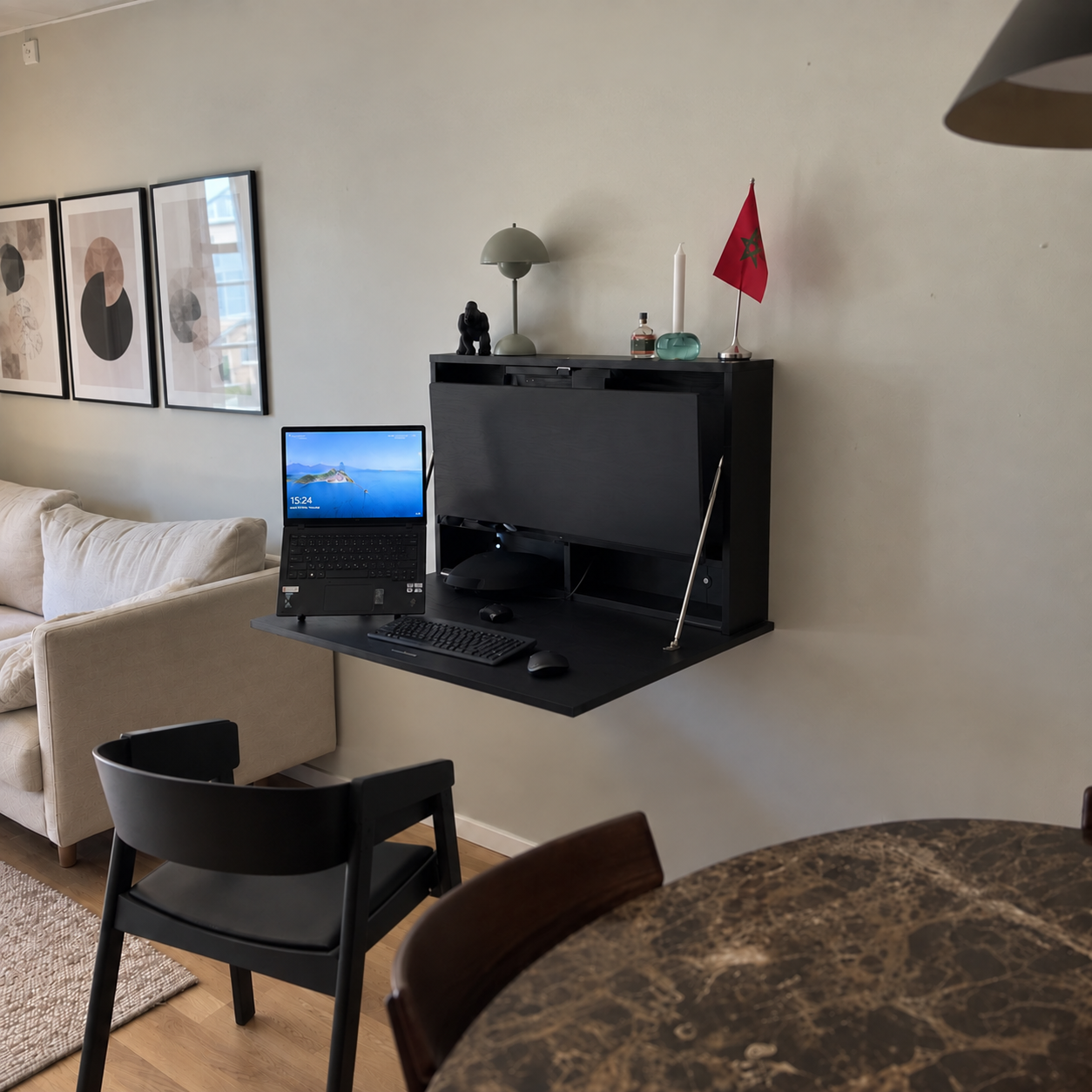
What you need
- A tape measure and a pencil
- A spirit level
- A drill
- The fixings pack (#B) included in the box: wall plugs and screws
- A second person for the last step
Before you start: choose your desk height
Decide how high you want your worktop to be from the floor. Everything else is measured from that line: the top of the wall plate always sits 49 cm above the top of the worktop. For example, for a worktop at 75 cm from the floor, the top of the wall plate goes at 124 cm. If you mount the desk above furniture, keep at least 10 cm of clearance.
Step 1 — Mark the wall plate position
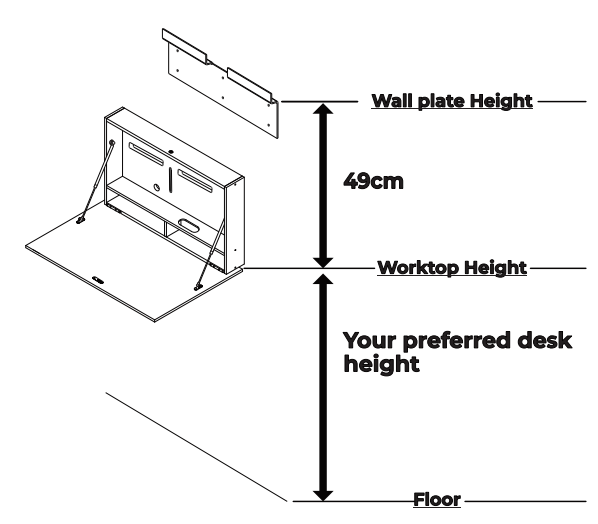
- Decide the desired height from the floor to the worktop.
- Measure and mark the wall plate height: 49 cm from the top of the worktop to the top of the wall plate.
- Use a spirit level to make sure the wall plate is level, then mark the fixing holes.
Step 2 — Fix the wall plate to the wall
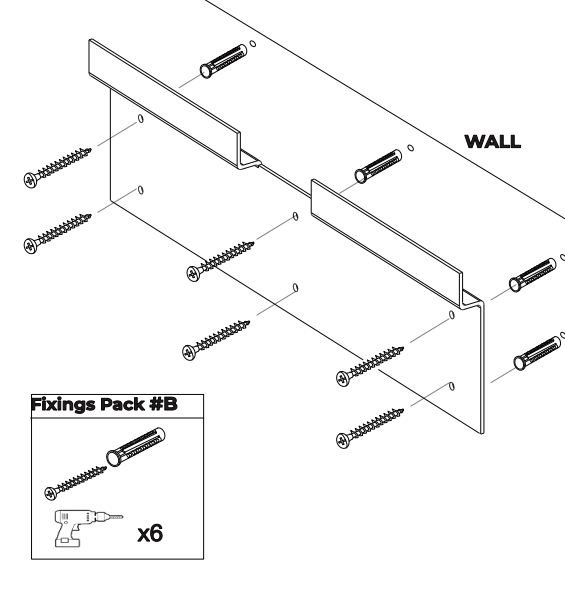
- Drill the holes in the wall at the marked positions.
- Insert the wall plugs. Use fixings suitable for your wall type.
- Fix the wall plate to the wall using the 8 screws, as shown.
- Check that the wall plate is level and securely fixed.
Step 3 — Mount the desk on the wall plate
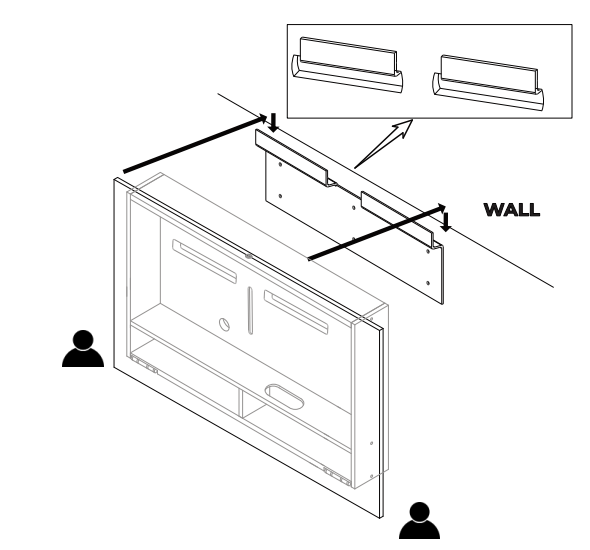
- With two people, lift the desk and align its top brackets with the wall plate.
- Lower the desk onto the wall plate until it is fully seated.
- Check that the desk is securely mounted and level.
The one measurement to remember: 49 cm from the top of the worktop to the top of the wall plate. Your preferred desk height is measured from the floor to the worktop.
Need help with your installation?
Send us a message and we'll walk you through it.